










PropFirmDiscount — Chrome Browser Extension
Save on prop-firm challenges. PropFirmDiscount shows active discounts and time-limited promos right on supported sites, so you don’t pay full price.
Why install
- See current deals while you browse prop-firm sites.
- Open full details in one click before you checkout.
- Lightweight: HTTPS API and a short-lived local cache (~10 minutes).
How it works
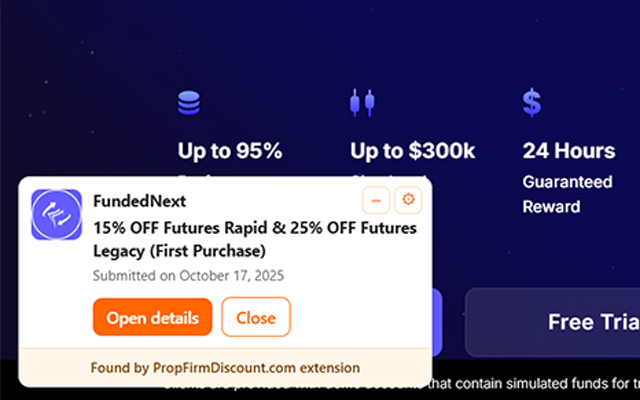
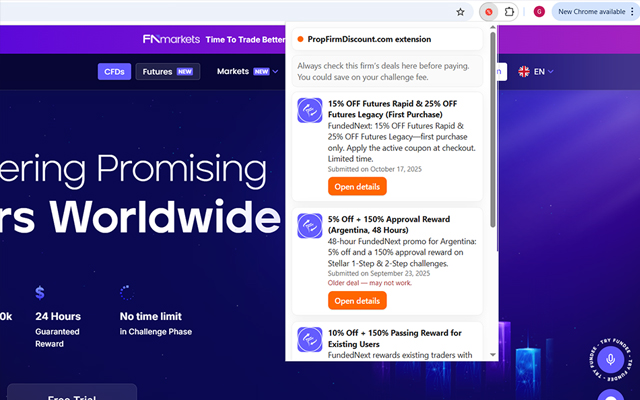
- When you visit a supported prop-firm website (e.g fundednext.com, ftmo.com, v.v..), a compact on-page bubble appears with the latest offers.
- Click “Open details” to view windows, exclusions, and usage notes on our site.
- Apply the best savings at checkout—no more guesswork.
Permissions
- activeTab — used only after you click, to open the deal page in a new tab.
- storage — stores a short-lived local cache and UI preferences.
- Host access (api.propfirmdiscount.com) — secure HTTPS calls to fetch current deals.
Privacy
We do not collect, sell, or share personal data. No browsing history is stored on our servers. Read the full policy: https://propfirmdiscount.com/privacy-extension/.
Install
How to use
1) Install and pin the extension.
2) Visit a supported prop-firm site (e.g., ftmo.com, fundednext.com).
3) A small on-page bubble appears (bottom-right) showing current deals.
4) Click “Open details” to open a new tab on propfirmdiscount.com with the full deal page.
5) If a site has no offers, the bubble shows a “No deals for this site yet” message.
About the publisher
PropFirmDiscount is an independent publisher operated by an individual/sole proprietor. We build lightweight tools that help traders discover discounts for proprietary trading firms.
Contact: [email protected]